
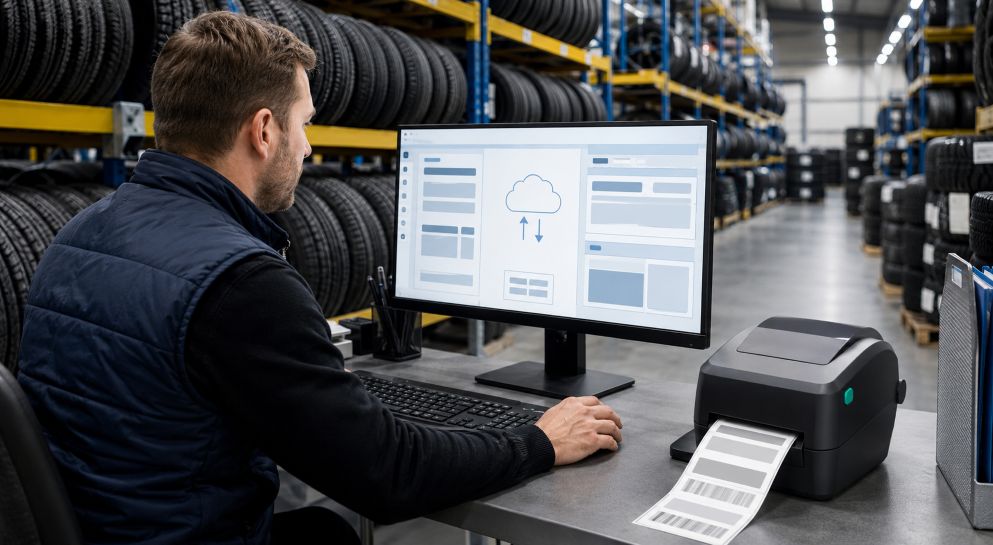
Cloud storage gives authorized users on-demand access to shared computing resources, as defined by the National Institute of Standards and Technology. For tire businesses operating across several locations or shifts, that shared access can keep label templates consistent while reducing reliance on files saved to individual computers.
A centralized workflow is especially useful when teams produce tire manufacturers and retailers stickers for shipping, inventory, or order processing. Without a controlled template library, employees may print outdated addresses, incorrect barcode fields, or layouts that do not match the label stock loaded into a printer.
Step 1: Document the Current Label Workflow
Begin by identifying every template in active use. Record its purpose, dimensions, printer model, data source, barcode type, and responsible department. Include files stored on local computers, shared drives, design applications, and printing workstations.
This inventory establishes a baseline before anything moves to the cloud. NIST describes configuration management as controlling how systems and products are initialized, changed, and monitored throughout their life cycle. Applying that principle to label files helps teams distinguish approved templates from abandoned drafts and duplicates.
Step 2: Choose a Controlled Cloud Location
Select one cloud repository as the official source for production templates. It may be a managed document platform, an application-specific label system, or a version-controlled repository. The appropriate choice depends on file format, integration requirements, staff skills, security policies, and the number of facilities involved.
Create separate areas for development, testing, approved production files, and archived versions. Production operators should see clearly which templates are ready to print. Editing rights can be limited to designers, system administrators, or designated label coordinators, while operators receive read or print access.
Step 3: Establish a Consistent Folder and Naming System
Organize templates by function rather than by employee. A practical hierarchy might separate inbound inventory, warehouse identification, customer orders, carrier shipping, and returns. If facilities require different sender details or printer settings, create controlled location variants beneath the relevant category.
Use filenames that reveal the template’s purpose and status. Include elements such as label size, workflow, facility code, and revision number. Avoid names such as “final,” “latest,” or “new version,” because their meaning becomes unclear as files accumulate.
Step 4: Separate the Layout from Variable Data
Keep fixed design elements within the master template and obtain changing information from a controlled business system whenever the software supports that arrangement. Variable fields may include stock numbers, order identifiers, destinations, service levels, and barcode values.
Define each field’s source and acceptable format. This prevents one facility from using a product number where another uses an internal order reference. It also makes troubleshooting easier because teams can determine whether an error came from the template, source data, or printer configuration.
Step 5: Test Before Releasing a Template
Print a sample on the same label material and printer type used in production. Check dimensions, margins, orientation, field lengths, readable text, barcode placement, and scanning performance. Test with short and long data values so unexpectedly large entries do not overlap other elements.
The GS1 organization advises barcode users to consider symbol size, placement, printing method, color, and print quality. Where GS1 symbols are used, verification should follow the applicable specification rather than relying solely on a successful scan from one handheld device.
Step 6: Publish and Synchronize the Approved Version
Once testing and review are complete, move the template into the approved production area. Record the revision number, approval date, owner, affected locations, and a short description of the change. Notify each shift or facility when an update affects its work.
Configure printing stations to retrieve approved files from the cloud repository or synchronize controlled local copies. Broader guidance on secure cloud storage practices also highlights the value of access controls, organized folders, and carefully managed offline files. If internet access is interrupted, define whether operators may use a cached template and how the system will confirm that it is still current. Test synchronization at every site instead of assuming one successful installation represents the entire network.
Step 7: Control Changes as Production Expands
Require a change request for modifications to dimensions, fields, barcodes, carrier information, or printer settings. The request should explain the problem, identify affected workflows, and name the person responsible for testing. A second reviewer can compare the proposed output with the currently approved version.
GitHub documentation explains that version-control systems preserve change history and allow earlier versions to be recovered. Even when templates are managed outside software development, the same discipline is valuable. Teams should retain revision history, identify who made each change, and document why it was necessary.
Maintaining a Reliable Template Library
Schedule periodic reviews to remove obsolete files from production access, confirm user permissions, and test common label formats. Protect the approved area from unreviewed overwrites. GitHub uses protected branches to require reviews or status checks before changes are merged, a model that larger labeling operations can adapt to their approval process.
A cloud workflow is most useful when it combines convenient access with clear ownership. Central storage alone does not guarantee consistency. Documented naming rules, controlled permissions, realistic print tests, revision records, and planned synchronization create the dependable process tire manufacturers and retailers need as label volumes, facilities, and shifts increase.